An interactive mind-mapping app with AI-powered brainstorming, guided templates,
5 layout algorithms and full offline support. Bring your maps across from XMind. Runs in your browser — no install, no account.
No account needed
Works offline
AI built in
Install as desktop app
Everything you need to think visually
Powerful enough for complex projects. Simple enough to start in seconds.
AI-Powered Brainstorming
Expand any node with AI-generated ideas. 20 free calls per day — no API key needed. Bring your own key for unlimited.
Present Your Map
Turn any map into a full-screen presentation. Slides follow your branches automatically, or pick your own, and the camera glides between them. Your notes become speaker notes. Up to 10 slides free, unlimited with Pro.
5 Layout Algorithms
Top-down, left-to-right, balanced, radial, and fishbone. Auto-layout keeps your map tidy as you think.
24 Visual Themes
From dark synthwave and warm Fleet Street headlines to playful Splat and five coastal colourways. Centrality-based colouring makes important nodes stand out automatically. 6 themes free, all 24 with Pro.
Canvas + Outliner
Switch between visual canvas and structured outline. Both fully editable, always in sync. Think however suits you.
Guided Templates
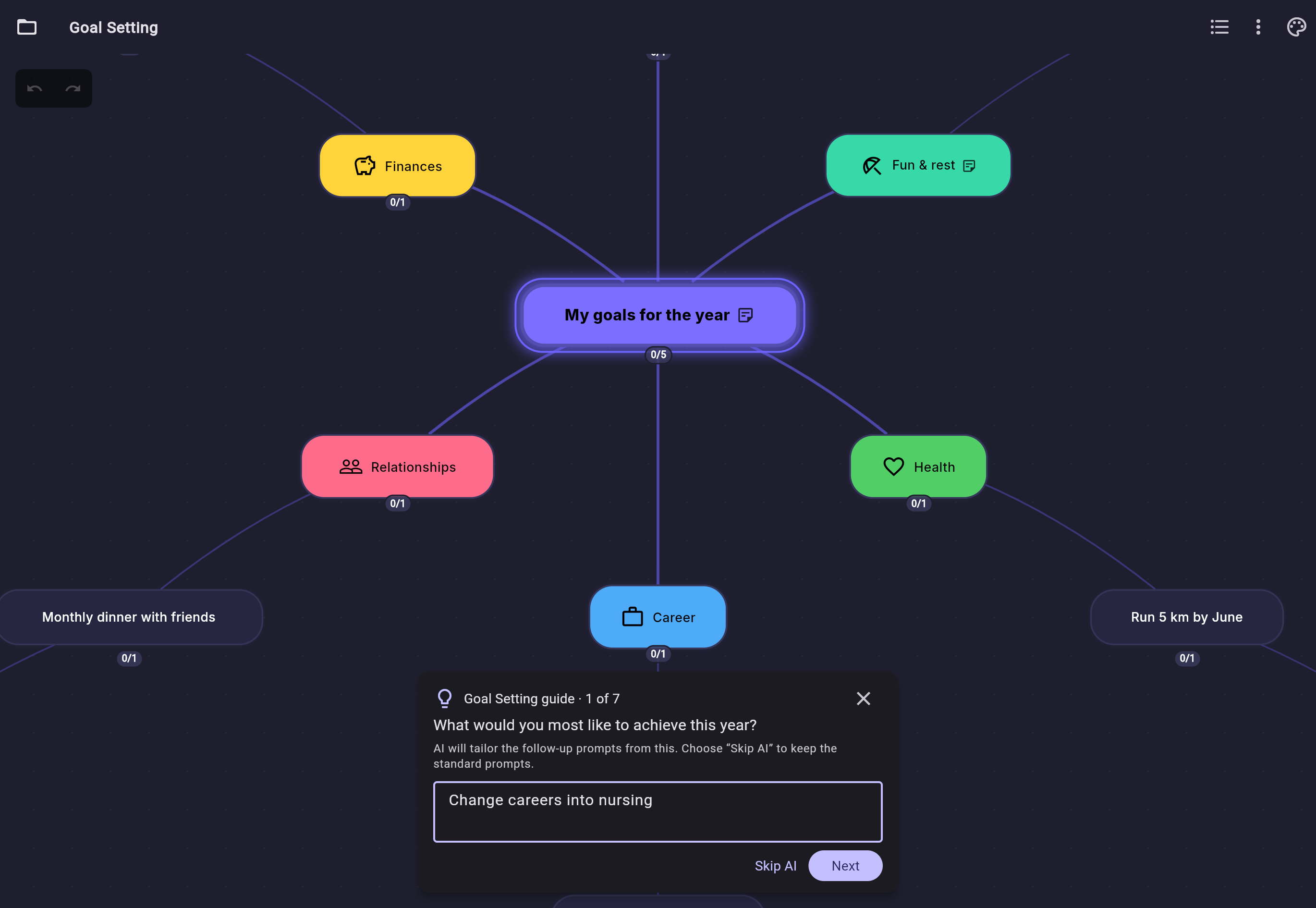
SWOT, fishbone root-cause, OKRs, goal setting, essay plans, trip planners and more. A step-by-step guide walks you through each one, a question at a time. With AI on, it first reshapes the template around your subject. 10 templates free, all 33 with Pro.
Bring Your Maps With You
Import from XMind (old and new formats), FreeMind, OPML and Markdown. Notes, cross-links and multi-sheet workbooks come across too, so switching costs you nothing.
Offline-First & Private
Your maps live on your device as human-readable JSON. No cloud required. No account needed. No tracking. Works on a plane. Optional cloud sync when you want it.
Keyboard-First
Enter for siblings, Tab for children, F2 to edit. Full shortcut coverage. Fly through your maps without touching the mouse.
Also included in the free tier:
✓ 10 starter templates, each with a step-by-step guide✓ Cross-link arrows (non-hierarchical)✓ Focus / drill-down mode✓ In-document search (⌘F)✓ Rich-text node notes✓ Node images & icons✓ Boundary grouping (⌘G)✓ Import: XMind, OPML, FreeMind, Markdown✓ Export: PNG, Markdown, .synapse✓ Presentation mode (up to 10 slides)✓ AI text-to-map (10,000 chars)✓ Per-node text styling (B/I/U)✓ Minimap navigation✓ Collapse/expand branches✓ Auto-save every 30 seconds✓ Undo/redo✓ URL attachments on nodes
Pro adds the remaining 18 themes and 23 templates, unlimited synced devices and
unlimited presentation slides —
see what's in Pro.
Your map, your style
24 themes from dark synthwave and warm Fleet Street headlines to playful Splat and five coastal colourways — 6 free, all 24 with Pro. Centrality-based colouring makes important nodes stand out automatically.
Terminal theme
Corkboard theme
AI that works out of the box
No API key needed. No setup. Let AI tailor a template to your subject, or select a node
and let it expand your thinking. 20 free calls per day, processed in EU data centres.
🧭 Templates that fit your subject
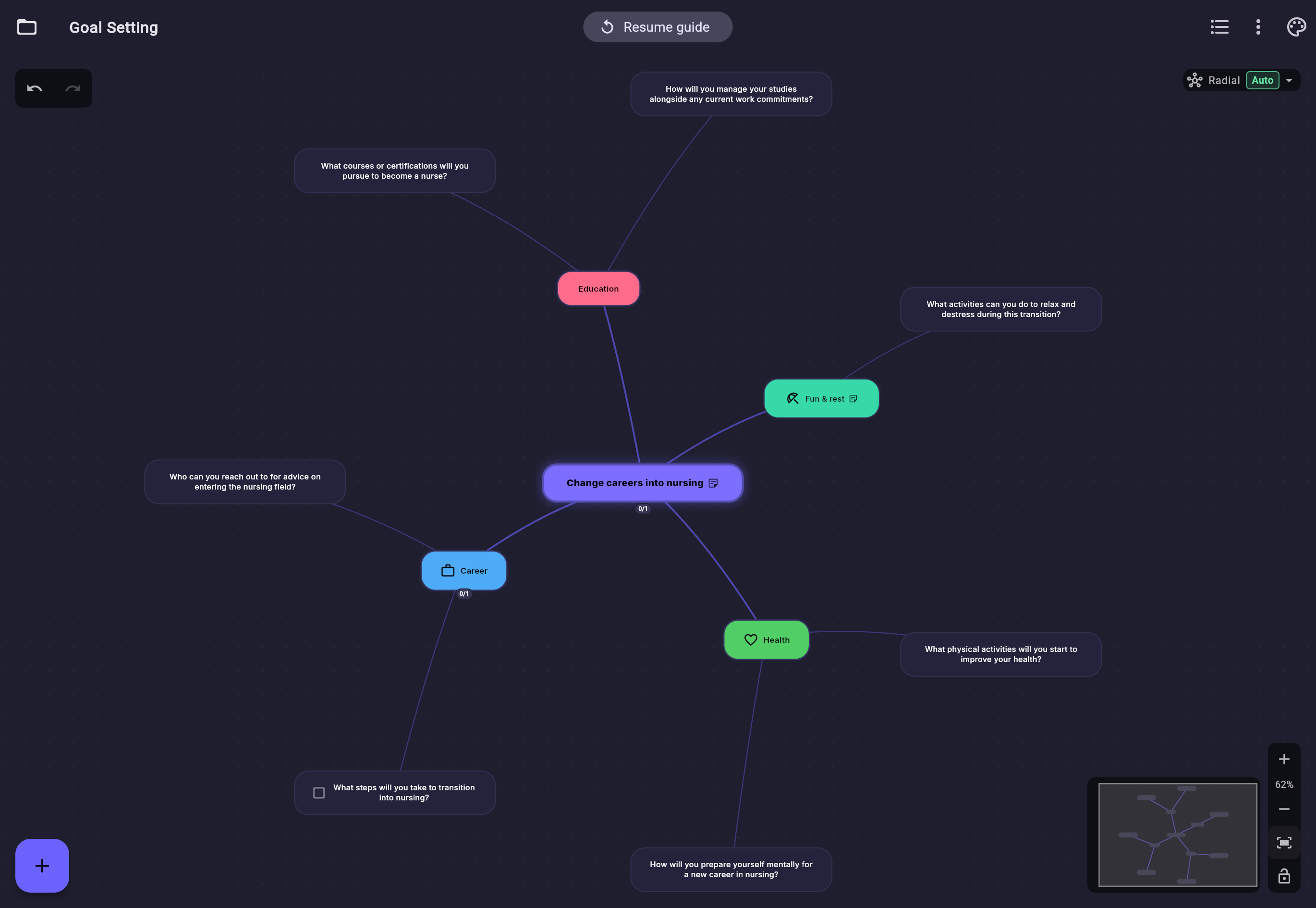
Start a template guide and tell it what you're working on, such as "changing careers into nursing". AI reshapes the template's sections and questions around your answer, then the guide walks you through them one at a time. It asks the questions; the answers stay yours. One undo puts the original template back, and with AI off the guide uses the template's own prompts, offline.
1. Answer one question2. The template reshapes around your answer
🧠 Expand with ideas
Select any node → AI suggests 4-6 child nodes. Review, edit, accept, or reject each suggestion before committing.
📄 Text to map
Paste an article, notes, or transcript → AI proposes a structure. Edit the outline before the map is created. Up to 10,000 characters on the free AI, or no limit with your own key.
📝 Summarise a branch
Condense a whole branch into a short paragraph. Review and edit it, then add it to the node's notes or copy it.
🔗 Suggest connections Coming soon
AI analyses your full map and suggests cross-links between related but unconnected ideas.
Privacy-first:
AI processed in EU data centres (France). No data stored. Bring your own API key, or run a local model with Ollama, for unlimited use — also free.
Simple pricing
Free for core mind mapping. Pro when you're ready to do more.
✓ Version history — recover from any sync conflict (30 days)
✓ Export: OPML, PDF, interactive HTML
✓ Presentations with unlimited slides
✓ Task mode (due dates, priority)
✓ Global cross-document search
Start mapping in seconds
Nervespan MindMap runs in your browser — no download, no account, no setup.
Install it as a desktop app with one click for the full offline experience.